Jan 03, 2025
Select a flexible ceramic heater pad that is designed specifically for your 3D printer's print bed size and heating requirements.
Ensure the pad's voltage and power ratings match your printer's specifications.
Consider the temperature range and maximum temperature the heater pad can safely handle, which should be compatible with the materials you intend to print with (e.g., PLA, ABS, PETG).
Clean the print bed thoroughly to remove any dust, grease, or debris. A clean surface ensures optimal adhesion of the heater pad.
If your printer has a removable print bed, detach it to facilitate the installation process.
Position the Heater Pad: Carefully align the flexible ceramic heater pad with the surface of the print bed. It should fit snugly and cover the entire build area, ensuring uniform heat distribution.
Attach the Pad: Most flexible ceramic heater pads come with adhesive backing or mounting clips for easy attachment. Press the pad firmly onto the print bed, ensuring it is evenly applied with no wrinkles or air pockets.
If necessary, use thermal adhesive or high-temperature tape to secure the pad in place.
Ensure that the wiring is safely routed and that the electrical connections are properly secured to avoid shorts or accidental detachment.
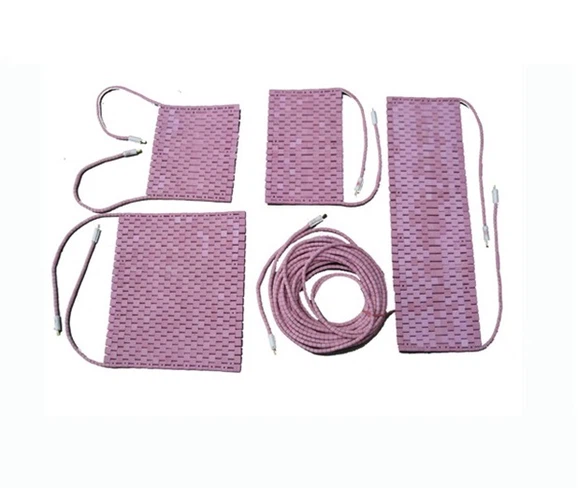
Connect the heater pad's power cables to your 3D printer's power supply or the dedicated heated bed terminal on the printer's motherboard.
Ensure the connections are tight and insulated to prevent electrical hazards.
Power on the printer and begin heating the bed.
Monitor the temperature through your printer's control interface to ensure the bed reaches the desired temperature.
If applicable, calibrate the printer's temperature sensor for accurate readings.
Adjust the temperature settings in your slicer software based on the material you are using. For example:
PLA typically requires a bed temperature of 50-60°C.
ABS requires a bed temperature of 90-110°C.
Ensure the heating cycle is stable and consistent. A flexible ceramic heater pad should heat up quickly and maintain a uniform temperature across the bed.
Once the print bed reaches the set temperature, start the printing process. The flexible ceramic heater pad will provide an even and consistent heat source, improving bed adhesion and reducing warping, especially with larger prints.
Regularly monitor the print to ensure the heater pad is functioning as expected.

After use, let the heater pad cool down before handling it. Regularly check for signs of wear or damage, especially around the wiring or connections.
Periodically clean the surface of the pad to prevent residue buildup, but avoid harsh chemicals that could damage the material.
By following these steps, you can ensure the effective use of a flexible ceramic heater pad in your 3D printing process, resulting in better print quality, improved adhesion, and reduced warping.
Previous: How to use Flexible Ceramic Heater Pad in Aerospace
Next: The specific application of Ceramic Bobbin Heaters in the Laboratory Equipment